Enhance Your Book Cover Design with Minimalist Mockups and 3D Rendering
Whether you're an author, a designer, or someone passionate about the publishing industry, presenting your book cover design in a professional and appealing way is crucial. One of the most effective tools for showcasing your creative work is through book cover mockups. Specifically, minimalist mockups and 3D rendering illustrations have become increasingly popular due to their ability to highlight design elements without overwhelming the viewer. In this article, we’ll explore what these mockups are, why they’re important, and how you can use them to elevate your portfolio or presentation.
What Are Book Cover Mockups?
A book cover mockup is a visual representation of how your book cover will look when printed and displayed. These mockups are often created using digital templates that allow you to place your artwork on realistic book models. They help you visualize your design in context—showing how it appears from different angles, on various surfaces, or in real-world settings.
Traditionally, designers would need physical prototypes or photoshoots to present their book covers. However, with the rise of digital tools and high-quality graphic design software, creating virtual mockups has become more accessible and cost-effective.
The Role of Minimalism in Modern Design
Minimalism is not just a trend—it’s a design philosophy that emphasizes simplicity, clarity, and functionality. When applied to book cover mockups, minimalism allows the focus to remain entirely on the design itself, rather than distracting elements like complex backgrounds or overly detailed props.
- Clarity: A clean layout makes it easier for viewers to grasp the essence of your design quickly.
- Professionalism: Minimalist mockups convey a sense of sophistication and attention to detail.
- Adaptability: Simple designs are versatile and can be used across multiple platforms—from websites to print materials.
Why Use a Minimal Book Cover Mockup Pack?
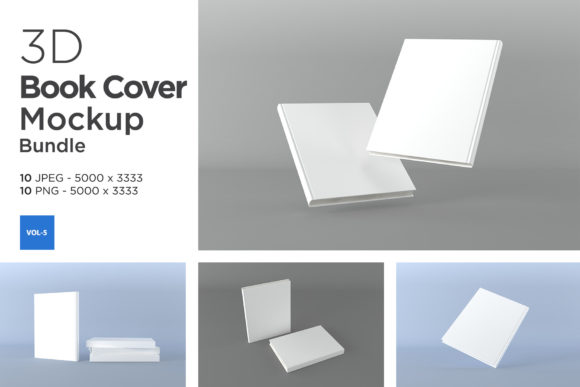
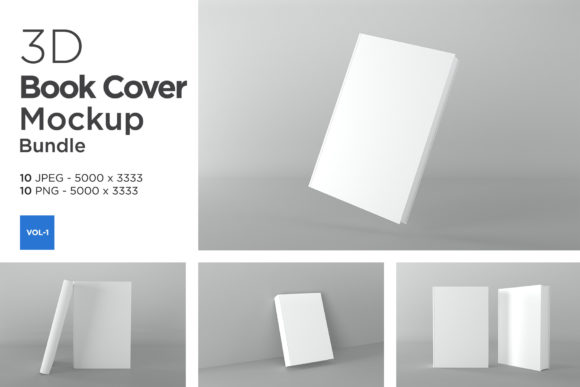
A minimal book cover mockup pack typically includes several JPEG files showing different angles of a book. These packs are especially useful for creators who want to showcase their work in a subtle yet impactful manner. For example, if you're building a portfolio, having varied mockups helps demonstrate how your cover design translates into real-life applications.
Additionally, such mockups are ideal for authors or publishers who want to promote their books online. A well-designed mockup can make a significant difference in attracting potential readers or clients, as it provides a realistic preview of the final product.
Understanding 3D Rendering Illustrations
In the world of design, 3D rendering refers to the process of generating a photorealistic image from a 3D model. When it comes to book cover mockups, 3D rendering offers a more dynamic and lifelike view compared to flat images or static templates.
These illustrations are created using specialized software that simulates lighting, texture, and perspective. The result is a visually compelling mockup that looks almost identical to a real book sitting on a shelf or being held by someone. This level of realism is invaluable for marketing purposes, as it helps build trust and anticipation around the final product.
Advantages of Using 3D-Rendered Mockups
- Realistic Presentation: Viewers can see exactly how the book will appear once published.
- Customization: You can tweak lighting, background, and even the angle of the book to suit your needs.
- Time and Cost Efficiency: No need for photo sessions or printing samples; everything can be done digitally.
- Consistency: Ensures that all your promotional materials feature uniform visuals, reinforcing brand identity.
Features of the Minimal Book Cover Mockup Pack
If you're considering using a minimal book cover mockup pack, it's essential to understand the components included. A typical pack might consist of the following items:
- 10 JPEG Files: These provide ready-to-use mockups in standard resolution for quick sharing or display.
- 10 PNG Files with Transparent Background: Perfect for layering onto custom backgrounds or integrating into web designs.
- Book Spine Image: Includes the spine of the book, allowing you to show off your full title and author name in a realistic format.
- Image Size: 5000 x 3333 pixels: Offers high resolution for crisp, clear presentations.
- Resolution: 72 dpi: Ideal for digital use, ensuring optimal quality on screens.
This combination of formats ensures flexibility. Whether you're working on a website layout, preparing for a client meeting, or simply displaying your latest project on social media, you'll find the right file type for each scenario.
How to Use the Mockup Files Effectively
Using book cover mockups effectively requires understanding your audience and purpose. Here are some practical tips:
- For Portfolios: Choose mockups that best represent your design style and showcase your creativity. A variety of angles can add depth to your presentation.
- For Marketing: Use the transparent PNGs to overlay your book cover onto relevant scenes, such as a coffee table or bookstore shelf. This helps potential buyers imagine the book in their own space.
- For Social Media: Optimize the JPEGs for mobile viewing. Consider cropping or resizing them to fit platform-specific dimensions like Instagram posts or Twitter cards.
Common Misconceptions About Book Mockups
Despite their growing popularity, there are still some misunderstandings about book cover mockups. Let's address a few of them:
Misconception 1: Mockups Are Only for Professionals
Reality: While professionals certainly benefit from using high-quality mockups, they're also valuable for beginners. A good mockup can help new designers understand how their work will be perceived in real life and improve their overall presentation skills.
Misconception 2: All Mockups Are the Same
Reality: There are many types of mockups, including flat lay, 3D, and lifestyle mockups. Each serves a different purpose. Minimalist mockups, for instance, are great for highlighting design details, while lifestyle mockups might show the book in a home setting to evoke emotion and relatability.
Misconception 3: You Can’t Customize Them
Reality: Many mockups come with editable layers, allowing you to change colors, add shadows, or adjust lighting. Even if they don't, tools like Photoshop can give you control over how your design is presented within the mockup.
Integrating Mockups Into Your Workflow
Once you’ve acquired your mockup pack, it's time to integrate it into your workflow. Here’s a simple step-by-step guide:
- Choose the Right Format: Decide whether you need a transparent PNG for layered designs or a JPEG for straightforward use.
- Edit the Mockup: If the mockup supports editing (like PSD files), open it in your preferred design software and replace the placeholder cover with your own.
- Experiment with Angles: Use the different views provided in the pack to create a cohesive series of images that tell a visual story.
- Export and Share: Once satisfied with the results, export the mockups in the appropriate resolution and share them across your desired platforms.
Tools That Work Well with Book Mockups
To get the most out of your mockups, consider using design software like:
- Adobe Photoshop: Best for editing layers and making precise adjustments.
- Canva: Great for beginners looking to drag-and-drop their designs onto pre-made mockups.
- Figma: Useful for collaborative projects where multiple stakeholders review the same design.
The Broader Impact of High-Quality Mockups
High-quality mockups do more than just enhance the visual appeal of your book cover—they play a role in shaping how your work is received. In today’s competitive market, standing out is essential. A polished mockup can make your design feel more tangible and trustworthy, which is particularly important in the creative industries.
Moreover, in educational contexts, mockups can serve as teaching tools. Design students can analyze how different layouts and color schemes perform when placed on realistic book models. This hands-on learning experience bridges the gap between theory and practice.
In business, mockups are part of the product presentation strategy. Publishers and self-published authors use them to pitch books to retailers, agents, and editors. A strong visual presence can increase the chances of approval and sales.
Examples of Mockup Usage
Let’s look at a few examples of how book cover mockups can be used creatively:
- Author Websites: Displaying a mockup next to the book description gives visitors a clear idea of what to expect.
- Design Blogs: Showcasing your design process with before-and-after mockups can attract followers interested in your methodology.
- Social Media Campaigns: Posting mockups of your book in different scenarios can generate interest and engagement from your audience.
Choosing the Right Mockup for Your Needs
With so many options available, choosing the right mockup can feel overwhelming. Here are a few questions to ask yourself:
- Do I want to emphasize the design itself, or should the environment be part of the message?
- Will the mockup be used online, in print, or both?
- Is my target audience likely to appreciate a sleek, modern aesthetic or something more traditional?
By answering these questions, you can narrow down your choices and select mockups that align with your goals and audience preferences.
Support and Resources
If you're using a specific mockup pack, such as the Books Cover Mockups Vol 1 or the Books Cover Mockup 3D Rendering Illustration, and you encounter any issues, most creators offer support. For example, the pack includes instructions, but if you need further assistance, you can contact the designer through their profile page or via email.
Having access to customer support is invaluable, especially if you're new to using mockups. It ensures that you can resolve technical difficulties quickly and continue refining your presentation without unnecessary delays.
Conclusion
Book cover mockups—especially those with a minimalist or 3D-rendered approach—are powerful tools for anyone involved in the creation or promotion of books. They provide a realistic and professional way to present your work, helping you stand out in a crowded market. By understanding the features and uses of these mockups, you can leverage them to build a stronger portfolio, create engaging marketing content, and ultimately connect better with your audience.
Whether you're launching a new novel, designing a brand’s first publication, or exploring the world of graphic design, investing in quality mockups is a smart move. They not only enhance your visual storytelling but also reflect the care and precision you put into your craft.
Ready to take your book cover design to the next level? Explore the Books Cover Mockups Vol 1 and Books Cover Mockup 3D Rendering Illustration to discover how they can transform your presentation and elevate your creative work.